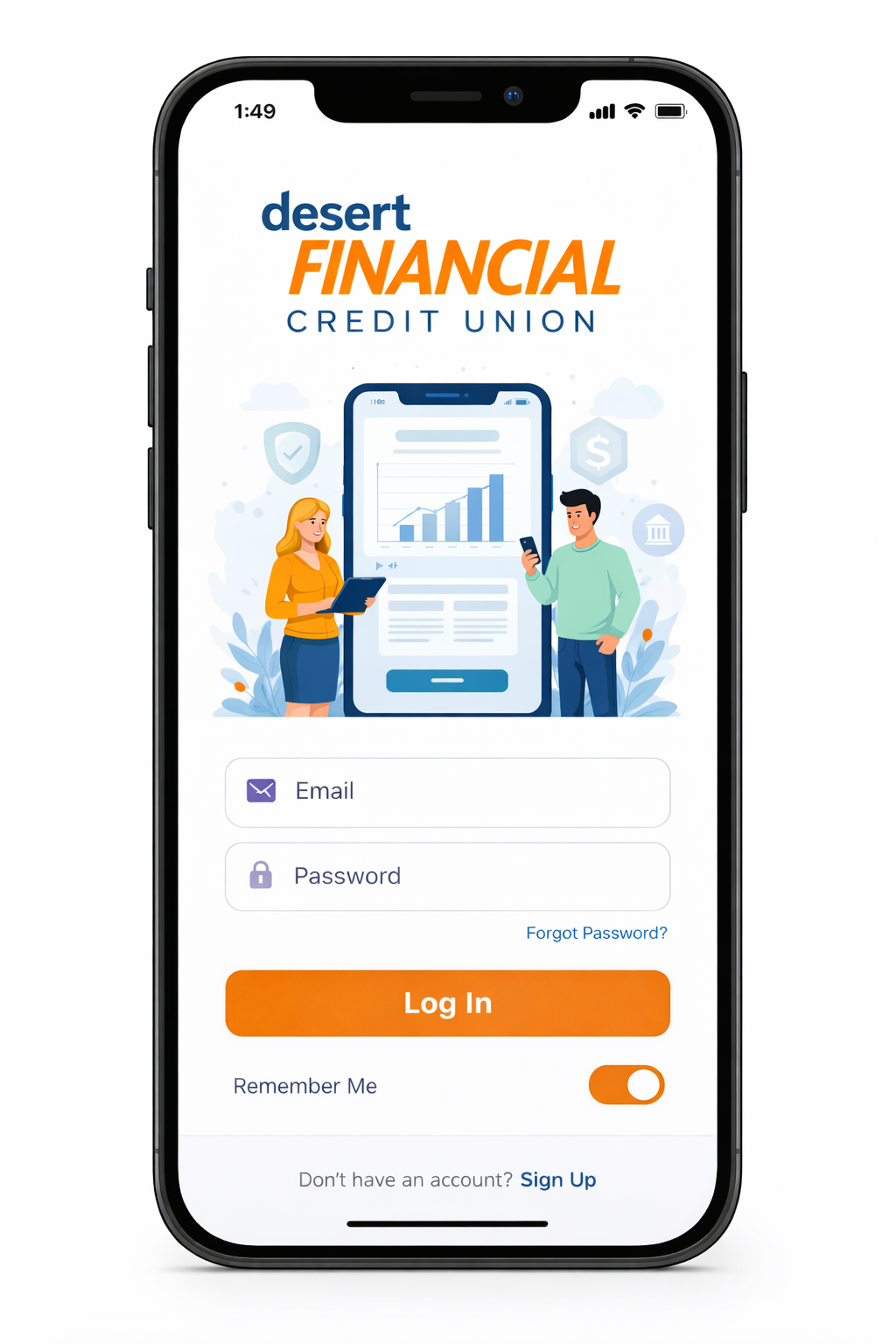
The Desert Financial Credit Union app is a secure mobile and web banking platform that allows members to access checking and savings accounts, make transfers, deposit checks, pay bills, and manage finances. It uses multi-factor authentication, encryption, and alerts to ensure safe, convenient account management.
What Is the Desert Financial Credit Union App?
The Desert Financial Credit Union app, provided by Desert Financial Credit Union, is a digital banking solution designed to give members real-time access to their accounts and financial services. Members can perform transactions, schedule payments, monitor balances, and receive alerts — all from their mobile device or web portal.
The app complies with federal regulations governing credit unions, ensuring data security, identity verification, and audit-ready transaction records.
Credit Union Overview
The Desert Financial Credit Union app serves members of Desert Financial Credit Union across Arizona, offering convenient access to personal and business banking services. This digital platform allows members to manage their accounts securely through the desert financial credit union app, supporting both daily banking tasks and long-term financial management. By using the app, members can perform transactions, monitor balances, and access account features without visiting a branch.
Key services include:
- Savings and checking accounts
- Auto and personal loans
- Mortgage and credit card management
- Investment and financial planning services
By integrating these services into a mobile app, members can manage finances without visiting branches or relying on phone-based customer support.
Features of the App
The app provides a range of features for members to efficiently manage accounts:
- Checking & Savings Management – View balances, transaction history, and account details in real-time.
- Mobile Check Deposit – Deposit checks securely by taking photos from your mobile device.
- Bill Pay & Transfers – Pay bills, schedule payments, and transfer funds between accounts.
- Notifications & Alerts – Receive push notifications for transactions, account changes, and upcoming payments.
- Statements & Documents – Access monthly statements, transaction history, and confirmations digitally.
These features centralize financial management, reduce reliance on in-person banking, and provide instant account visibility.
Who Can Use the App?
Access to the app is limited to members of Desert Financial Credit Union. Eligibility includes:
- Verified account holders with an active membership
- Members who have completed registration for digital banking services
- Users of both mobile and web portals
Registration Requirements:
- Membership number or account number
- Verified email address and phone number
- Strong password creation following security guidelines (8–12 characters, mix of upper/lowercase, number, special character)
This ensures compliance with federal credit union regulations and protects members’ sensitive information.
How to Access the Desert Financial Credit Union App Login
The Desert Financial Credit Union app can be accessed through both its mobile applications and a secure web portal. Both the mobile and web options of the desert financial credit union app provide safe login with multi-factor authentication (MFA) and encrypted connections, ensuring that members’ accounts and financial information remain fully protected.
Step-by-Step Login Process
Step 1: Download the Official App
- Android Users: Google Play
- iOS Users: Apple App Store
Verify the publisher and ensure it matches Desert Financial Credit Union.
Step 2: Enter Registered Credentials
- Username or registered email
- Password
Step 3: Complete Security Verification
- OTP via email or SMS
- Device recognition prompts
- Multi-factor authentication
Step 4: Access the Dashboard
The dashboard displays:
- Account balances
- Transaction history
- Upcoming payments
- Alerts and notifications
Also Read: App 101 Financial: Empower Your Money, Grow Financial Confidence
First-Time Registration
New members of the Desert Financial Credit Union app must:
- Input their membership or account number
- Verify their email and phone number
- Set up a strong, secure password
- Optionally, enroll in multi-factor authentication (MFA) or biometric login
Completing this first-time registration in the Desert Financial Credit Union app follows best practices for secure digital banking and ensures that only verified members can access their accounts safely.
Mobile App vs Web Portal
| Feature | Mobile App | Web Portal |
|---|---|---|
| Biometric Login | Yes | No |
| Mobile Deposit | Yes | No |
| Bill Pay / Transfers | Yes | Yes |
| Real-Time Alerts | Push notifications | |
| Multi-Factor Authentication | Yes | Yes |
| Accessibility | On-the-go | Desktop only |
Takeaway: Mobile app access is ideal for convenience and immediate alerts, while the web portal provides full desktop access and traditional navigation.
Key Features of the App
The app is structured around core functionalities that provide efficient banking and financial management for members.
Account Dashboard Overview
- View current balances
- Monitor transaction history
- Track due dates for loans or credit cards
- Access digital statements and confirmations
Bill Pay, Transfers, & Payment Tools
| Feature | Purpose | Benefit |
|---|---|---|
| One-Time Payment | Pay bills immediately | Prevent late fees |
| Scheduled Payment | Future-dated transactions | Plan finances ahead |
| AutoPay | Recurring automatic payments | Consistent on-time payments |
| Transfer Funds | Between own accounts or other members | Seamless money movement |
Mobile Deposit & Statement Access
Members can deposit checks via mobile camera capture and access statements instantly, reducing the need for branch visits. This functionality supports transparency and record-keeping.
Alerts & Notifications
Push notifications and alerts include:
- Account activity
- Incoming/outgoing transfers
- Payment reminders
- Security notifications
These alerts help prevent missed payments and detect unauthorized access immediately.
Security & Compliance
Security is central to the app’s design.
Multi-Factor Authentication (MFA)
Requires:
- Password (something you know)
- OTP or device verification (something you have)
- Optional biometric login (something you are)
This layered security reduces unauthorized access risks.
Encryption Standards
- SSL/TLS encrypted communication
- End-to-end data encryption
- Secure credential storage
Compliance with National Institute of Standards and Technology guidelines ensures secure banking.
Fraud Monitoring & Consumer Protection
The app monitors:
- Suspicious login attempts
- Unrecognized transactions
- Account anomalies
Members are protected under federal credit union standards via:
- National Credit Union Administration
- National Institute of Standards and Technology
Summary
Desert Financial Credit Union App at a Glance:
- Secure mobile and web banking
- Account management, bill pay, and transfers
- Mobile deposit and statements access
- Real-time alerts and push notifications
- Multi-factor authentication and encryption
- Available to verified members only
Key Takeaways
- App provides secure access to checking, savings, and loans.
- Mobile and web platforms support account management, payments, and alerts.
- Multi-layered security including MFA, encryption, and device verification.
- Mobile app enables real-time notifications, biometric login, and on-the-go transactions.
- Compliant with NCUA and NIST guidelines for credit union digital banking.
Desert Financial Credit Union App: Troubleshooting, Security & Legitimacy
How to manage and troubleshoot the Desert Financial Credit Union app?
The Desert Financial Credit Union app enables secure account access, payments, transfers, and alerts. For login or payment issues, members can reset passwords, unlock accounts, or contact support. The app follows multi-factor authentication, encryption, and NCUA compliance to ensure safe financial management.
Common Login & Payment Issues
Even with secure credit union apps, users can face occasional problems. Identifying these issues quickly ensures smooth account management.
Forgot Password
Cause: Forgotten or expired password.
Solution:
- Tap “Forgot Password” on the login screen.
- Enter your registered email or username.
- Receive OTP verification via email or SMS.
- Create a new password following security rules:
- 8–12 characters
- Mix of uppercase, lowercase, numbers, and special characters
Tip: Use a secure password manager to reduce reset frequency.
Account Locked
Cause: Multiple failed login attempts trigger security lockout.
Resolution:
- Wait for auto-unlock (15–30 minutes)
- Contact Desert Financial support if the account remains locked
Security Insight: Lockouts prevent brute-force attacks and protect member accounts.
Mobile Deposit Not Posting
Causes:
- Poor image quality or unsupported check format
- Bank network delays
- App version outdated
Solution:
- Ensure check image is clear and fully visible
- Confirm sufficient funds in the source account
- Update app to the latest version from Google Play or Apple App Store
- Retry after network stabilization
| Payment Method | Typical Processing Time |
|---|---|
| Mobile Deposit | 1–2 business days |
| ACH Transfers | 1–3 business days |
| Scheduled Payment | As set by user |
App Not Loading
Causes:
- Outdated app version
- Device OS incompatibility
- Server maintenance
- Weak internet connection
Fix Checklist:
- Update app via official app stores
- Restart device
- Clear app cache
- Check Desert Financial’s status page for maintenance alerts
Security Best Practices
Maintaining security is essential when using any financial app.
Avoid Public Wi-Fi
Public networks increase the risk of interception. Use private secured networks for logins and financial transactions.
Enable Multi-Factor Authentication (MFA)
MFA combines:
- Password (something you know)
- OTP or device verification (something you have)
- Biometric login (something you are)
This significantly reduces unauthorized access risk.
Update Passwords Regularly
- Industry standards recommend updating every 6–12 months
- Immediately change passwords if a breach is suspected
Monitor Login Alerts
Pay attention to:
- Login attempts from new devices
- Unrecognized transactions
- Password reset notifications
Immediate action prevents fraud and unauthorized access.
Security Checklist Table
| Action | Risk Reduced | Recommended Frequency |
|---|---|---|
| Enable MFA | Unauthorized access | Immediately |
| Update password | Credential compromise | Every 6–12 months |
| Review login alerts | Fraud attempts | Monthly |
| Update app | Vulnerabilities | As updates release |
App Legitimacy & Regulatory Compliance
Indicators of legitimacy:
- Officially provided by Desert Financial Credit Union
- Federally insured accounts under National Credit Union Administration
- Multi-layered security including encryption and MFA
- Transparent terms of service and privacy policy
These elements ensure members’ financial and personal data is securely managed.
Regulatory Oversight
- NCUA ensures federally insured credit unions follow strict financial standards
- National Institute of Standards and Technology sets encryption and authentication guidelines for financial apps
- CFPB recommendations guide fair and transparent member communications
Mobile App vs Web Portal: Security & Convenience
| Feature | Mobile App | Web Portal |
|---|---|---|
| Biometric Login | Yes | No |
| Real-Time Alerts | Push | Email only |
| Multi-Factor Authentication | Yes | Yes |
| Mobile Deposit | Yes | No |
| Accessibility | On-the-go | Desktop only |
Key Insight: The mobile app provides faster, real-time access, whereas the web portal offers full desktop functionality for detailed account management.
People Also Ask (FAQs)
- What is the Desert Financial Credit Union app?
A secure digital banking platform for members to manage checking, savings, loans, and payments. - How do I log in?
Download the app or use the web portal, enter credentials, and complete multi-factor authentication. - Can I deposit checks using the app?
Yes, mobile check deposits are supported via camera capture. - Is the app secure?
Yes, with MFA, encryption, and monitoring under NCUA and NIST standards. - How do I reset my password?
Tap “Forgot Password”, verify identity, and create a new password following app guidelines. - Can I set up AutoPay?
Yes, recurring payments can be scheduled within the app. - Is the app available on iOS and Android?
Yes, download from Apple App Store or Google Play.
References
Desert Financial Credit Union — Official Home
🔗 https://www.desertfinancial.com/
(Desert Financial’s main site — use for products, membership info, digital banking overview)
Desert Financial Credit Union Digital Banking Login Page
🔗 https://www.desertfinancial.com/digitalbanking/login
(Official login portal reference — include in login instructions)
Desert Financial Credit Union Mobile App Information
🔗 https://www.desertfinancial.com/digitalbanking/mobilebanking
(Mobile banking info and app features page)
Disclaimer:
The content provided is for informational purposes only and does not constitute financial, investment, legal, or tax advice. While efforts are made to ensure accuracy, no guarantees are given regarding completeness or reliability. Any action you take upon the information is strictly at your own risk. We recommend consulting a licensed financial advisor or professional before making financial decisions