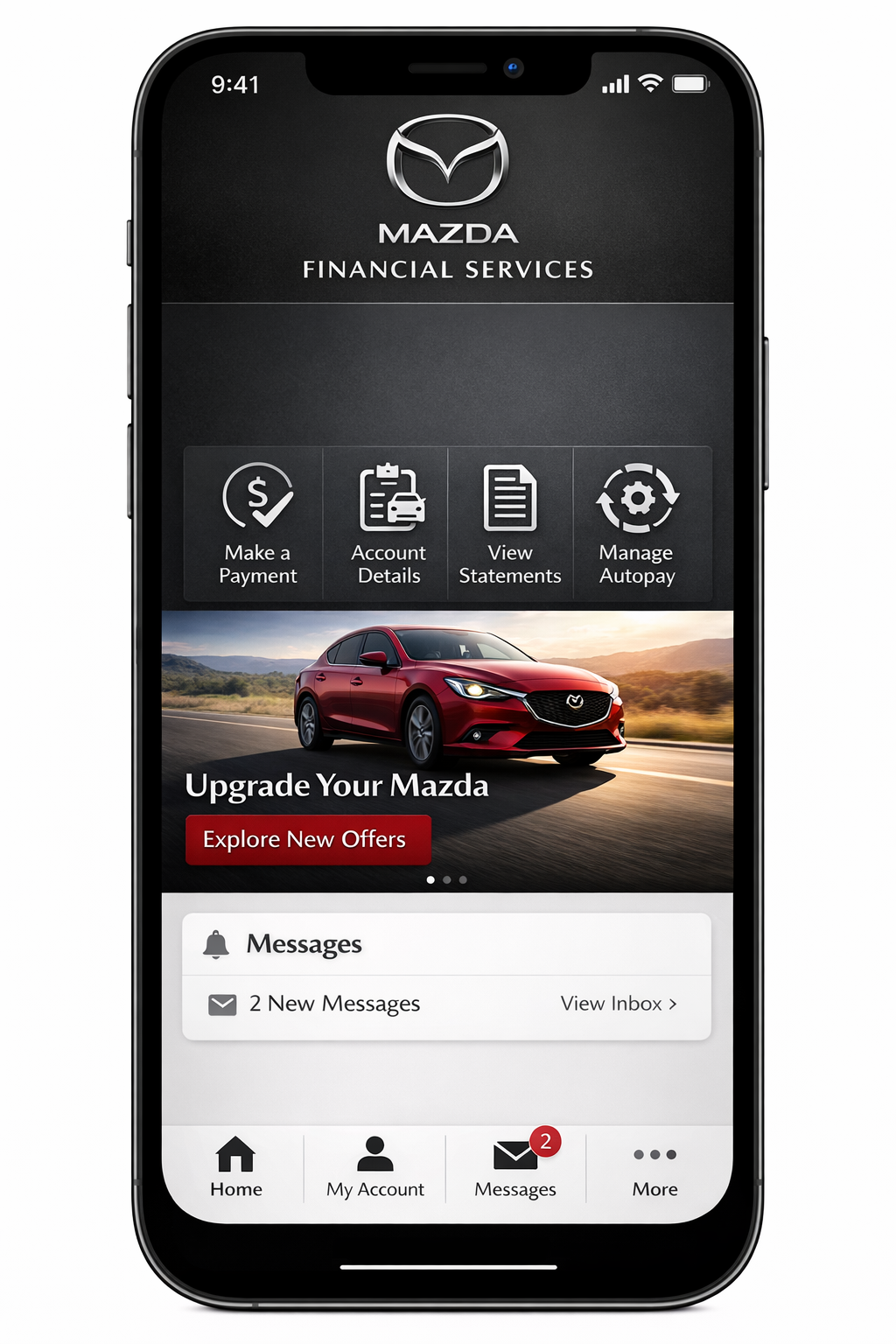
The Mazda Financial Services app is the official mobile application that allows customers to manage their auto loan or lease accounts digitally. It is designed for borrowers and lessees who finance their vehicles through Mazda Financial Services.
The app enables users to:
- View current loan or lease balances
- Make secure payments
- Monitor due dates
- Access payment history
- Manage account details
- Receive alerts and notifications
It functions as a mobile extension of the online finance portal, providing real-time account access.
According to standard automotive finance app practices, mobile platforms are designed to reduce customer service dependency while improving payment convenience.
Who Can Use the Mazda Financial Services App?
The Mazda Financial Services app is intended for:
- Customers with active Mazda auto loans
- Customers with Mazda lease agreements
- Individuals managing co-signed accounts
- Users registered through the official finance portal
It supports account holders who have completed initial online registration.
Accounts Supported by the App
The Mazda Financial Services app typically supports:
- Retail auto loans
- Lease agreements
- Account payoff tracking
- Monthly billing management
Commercial fleet accounts may require separate management systems.
Key Features and Benefits
The Mazda Financial Services app is structured around core financial management functionality. Below are the main features.
1. View Account Balance and Payment History
Users can access:
- Current outstanding balance
- Monthly payment amount
- Next due date
- Full payment transaction history
- Past statements
Real-time visibility helps prevent missed payments and late fees.
2. Secure In-App Payments
The Mazda Financial Services app allows customers to:
- Make one-time payments
- Schedule future payments
- Set up recurring automatic payments
- Use linked bank accounts (ACH)
- Use debit cards (where applicable)
Payment confirmation is typically displayed immediately within the app dashboard.
3. Payment Reminders and Alerts
Push notifications can be enabled to:
- Remind users of upcoming due dates
- Confirm successful payments
- Alert users to account updates
- Notify about document availability
Automated reminders reduce delinquency risk.
4. Digital Statements and Documents
Users can access:
- Monthly billing statements
- Tax documents (if applicable)
- Lease-end documents
- Payment confirmation receipts
Digital access eliminates reliance on mailed paper statements.
5. Account Profile Management
Within the Mazda Financial Services app, users may:
- Update contact information
- Modify communication preferences
- Change linked bank accounts
- Manage notification settings
Account updates reflect within the official finance system.
6. Security and Authentication Features
Security is critical in automotive finance apps.
The Mazda Financial Services app typically includes:
- Encrypted data transmission
- Multi-factor authentication
- Biometric login (fingerprint or Face ID where supported)
- Secure password protocols
Encryption standards align with industry mobile banking security practices.
Also Read: Financial Wellness Apps: Features, Benefits, Security & Top Platforms (2026 Guide)
📊 Mazda Financial Services App Features Overview
| Feature | Function | User Benefit |
|---|---|---|
| Balance Tracking | View loan/lease balance | Financial transparency |
| In-App Payments | Pay directly via mobile | Convenience |
| AutoPay Setup | Recurring payments | Avoid late fees |
| Alerts & Notifications | Due date reminders | Timely payments |
| Digital Statements | Access billing documents | Paperless management |
| Biometric Login | Secure access | Enhanced security |
How to Download the Mazda Financial Services App
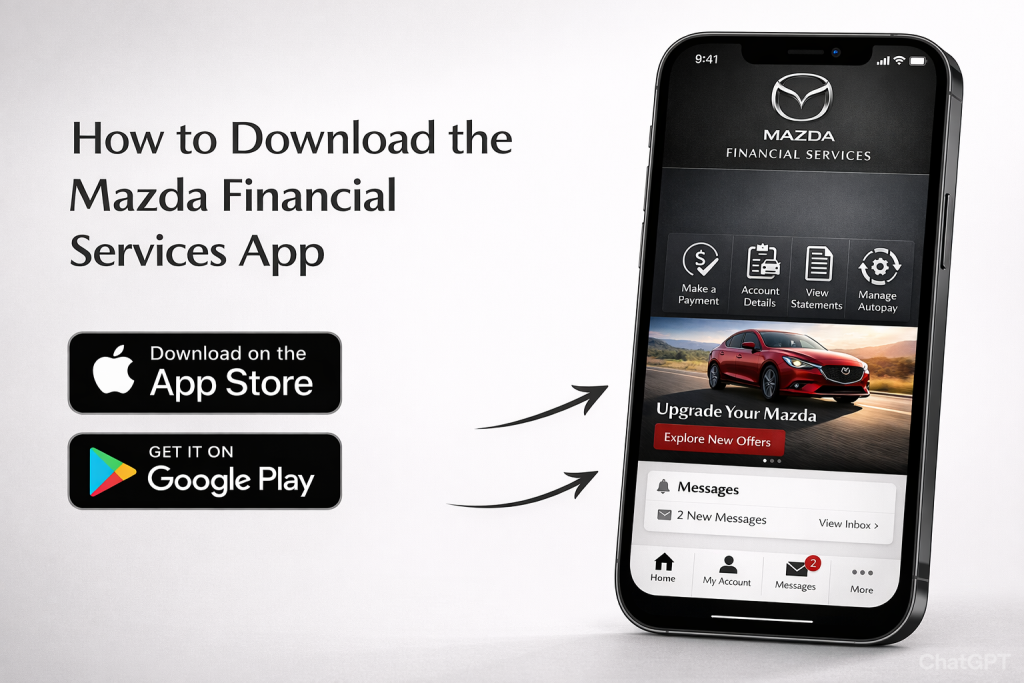
The Mazda Financial Services app is available on major mobile platforms.
Download on iOS
Available via the Apple App Store.
Steps:
- Open App Store
- Search “Mazda Financial Services”
- Select the official app
- Tap Download
- Install and open
Device must meet minimum iOS version requirements.
Download on Android
Available via the Google Play.
Steps:
- Open Google Play Store
- Search “Mazda Financial Services app”
- Select official listing
- Tap Install
- Launch app after installation
Android OS must meet compatibility standards.
System Requirements
Although exact requirements vary by version, users generally need:
- Updated iOS or Android operating system
- Stable internet connection
- Registered Mazda Financial Services account
Older devices may experience performance limitations.
Setting Up Your Account
After downloading the Mazda Financial Services app, users must complete account setup.
Step 1: Log In or Register
Existing users enter:
- Registered username
- Password
New users must:
- Create online credentials
- Verify identity
- Link finance account
Registration requires account number and identifying information.
Step 2: Enable Security Settings
Users are encouraged to:
- Enable biometric authentication
- Set up multi-factor authentication
- Activate push notifications
This enhances account protection.
Step 3: Link Payment Method
To make payments, users must:
- Add bank account details
- Verify routing and account numbers
- Confirm payment authorization
Once linked, payments can be processed immediately.
The Mazda Financial Services app is an official mobile platform that allows customers to manage Mazda auto loans or lease accounts. Users can view balances, make secure payments, track due dates, access statements, and set up AutoPay. The app provides real-time account updates and secure login functionality.
Key Takeaways
- The Mazda Financial Services app supports loan and lease management.
- It allows secure mobile payments.
- Users can set up AutoPay to avoid missed deadlines.
- Available on iOS and Android platforms.
- Includes biometric and encrypted security features.
- Provides real-time financial account visibility.
How to Make Payments in the Mazda Financial Services App
The Mazda Financial Services app allows customers to complete loan or lease payments directly from their mobile device. Payments are processed through the official system of Mazda Financial Services.
Timely payment is required to avoid late fees, negative credit reporting, or account delinquency.
One-Time Payment
A one-time payment is suitable for customers who prefer manual monthly control.
Steps to make a one-time payment:
- Log in to the Mazda Financial Services app
- Navigate to the “Make a Payment” section
- Select payment amount (minimum due or custom amount)
- Choose linked payment method
- Confirm payment
- Receive confirmation receipt
Payments typically display immediately as pending within the account dashboard.
Scheduling Future Payments
Users may schedule payments in advance.
Benefits include:
- Avoiding missed due dates
- Planning around paycheck schedules
- Reducing late fee risk
Scheduled payments are automatically processed on the selected date.
Setting Up AutoPay
AutoPay enables automatic monthly payments.
AutoPay setup process:
- Select AutoPay option
- Choose payment amount (minimum due or fixed amount)
- Select bank account
- Confirm authorization
Once enabled, the Mazda Financial Services app deducts payments on the due date.
AutoPay reduces the risk of delinquency and improves payment consistency.
Payment Methods Supported
Common payment methods within the Mazda Financial Services app include:
- ACH bank transfer
- Linked checking account
- Debit card (where supported)
Credit card payments may not always be available depending on finance agreement terms.
Payment Options Overview
| Payment Type | Best For | Processing Speed |
|---|---|---|
| One-Time Payment | Flexible monthly control | Standard bank processing |
| Scheduled Payment | Planned future payment | Processed on selected date |
| AutoPay | Automatic recurring payment | Recurring monthly |
Processing times depend on banking institution policies.
Security and Privacy in the Mazda Financial Services App
The Mazda Financial Services app handles sensitive financial data. Security protocols follow industry mobile finance standards.
Data Encryption
The app uses encrypted connections to protect:
- Account numbers
- Payment details
- Personal identification data
Encryption reduces interception risk during data transmission.
Multi-Factor Authentication
To enhance account protection, users may encounter:
- One-time verification codes
- Email confirmation links
- Security questions
Multi-layer authentication reduces unauthorized access risk.
Biometric Login
On supported devices, users may enable:
- Fingerprint authentication
- Face recognition
Biometric access enhances both convenience and security.
Privacy Practices
The app typically follows privacy guidelines published by Mazda Motor Corporation and its finance division.
User data is used for:
- Account servicing
- Payment processing
- Regulatory compliance
Privacy policies are accessible within the official app listing pages.
Troubleshooting Common Issues
While the Mazda Financial Services app is designed for ease of use, users may occasionally encounter issues.
1. Forgot Username or Password
Solution:
- Use the “Forgot Password” option
- Verify identity through registered email
- Reset credentials
Account recovery requires identity confirmation.
2. Payment Failed
Common causes:
- Insufficient bank funds
- Incorrect account information
- Expired linked debit card
- Bank rejection
Users should verify payment details and retry.
3. App Not Displaying Account Balance
Possible reasons:
- Account synchronization delay
- Maintenance updates
- Internet connectivity issues
Logging out and logging back in often refreshes account data.
4. App Crashing or Freezing
Troubleshooting steps:
- Update to latest app version
- Restart device
- Clear app cache (Android)
- Reinstall app if needed
Updates are available via the Apple App Store or Google Play.
Benefits of Using the Mazda Financial Services App
Using the Mazda Financial Services app provides:
- Real-time loan visibility
- Secure mobile payments
- Reduced reliance on customer service calls
- Paperless billing management
- Automated reminders
Digital finance tools improve payment accuracy and financial planning.
Conclusion
The Mazda Financial Services app provides a centralized mobile platform for managing Mazda auto loans and lease accounts. Customers can view balances, schedule or automate payments, access digital statements, and monitor account activity in real time. With encrypted security protocols, biometric login, and automated reminders, the app supports secure and efficient financial account management for Mazda customers.
Frequently Asked Questions (FAQs)
1. What does the Mazda Financial Services app do?
It allows customers to manage auto loans or lease accounts, make payments, view balances, and access billing documents.
2. Is the Mazda Financial Services app free to use?
Yes. The app itself is free to download from official app marketplaces.
3. Can I set up automatic payments?
Yes. Users can enable AutoPay for recurring monthly payments.
4. How do I reset my password?
Use the “Forgot Password” option within the login screen and follow identity verification steps.
5. Is the Mazda Financial Services app secure?
The app uses encrypted connections, secure login protocols, and optional biometric authentication.
6. Can I view my full payment history?
Yes. The app provides access to transaction history and past statements.
7. What should I do if my payment does not process?
Verify payment details, confirm available funds, and retry. If issues persist, contact Mazda Financial Services customer support.
References:
Mazda Financial Services Mobile App FAQs (Official) — general FAQ about the app features, login, security, and usage. Official Mazda Financial Services Mobile App FAQ page
2. How to Download the Mazda Financial Services Mobile App — official instructions for app download and availability. Download Mazda Financial Services Mobile App (Official)
3. Account Features Available on the Mobile App — official feature list of what users can do in the app (payments, balance, history, etc.). Mazda Financial Services App Features (Official)
Disclaimer:
The content provided is for informational purposes only and does not constitute financial, investment, legal, or tax advice. While efforts are made to ensure accuracy, no guarantees are given regarding completeness or reliability. Any action you take upon the information is strictly at your own risk. We recommend consulting a licensed financial advisor or professional before making financial decisions