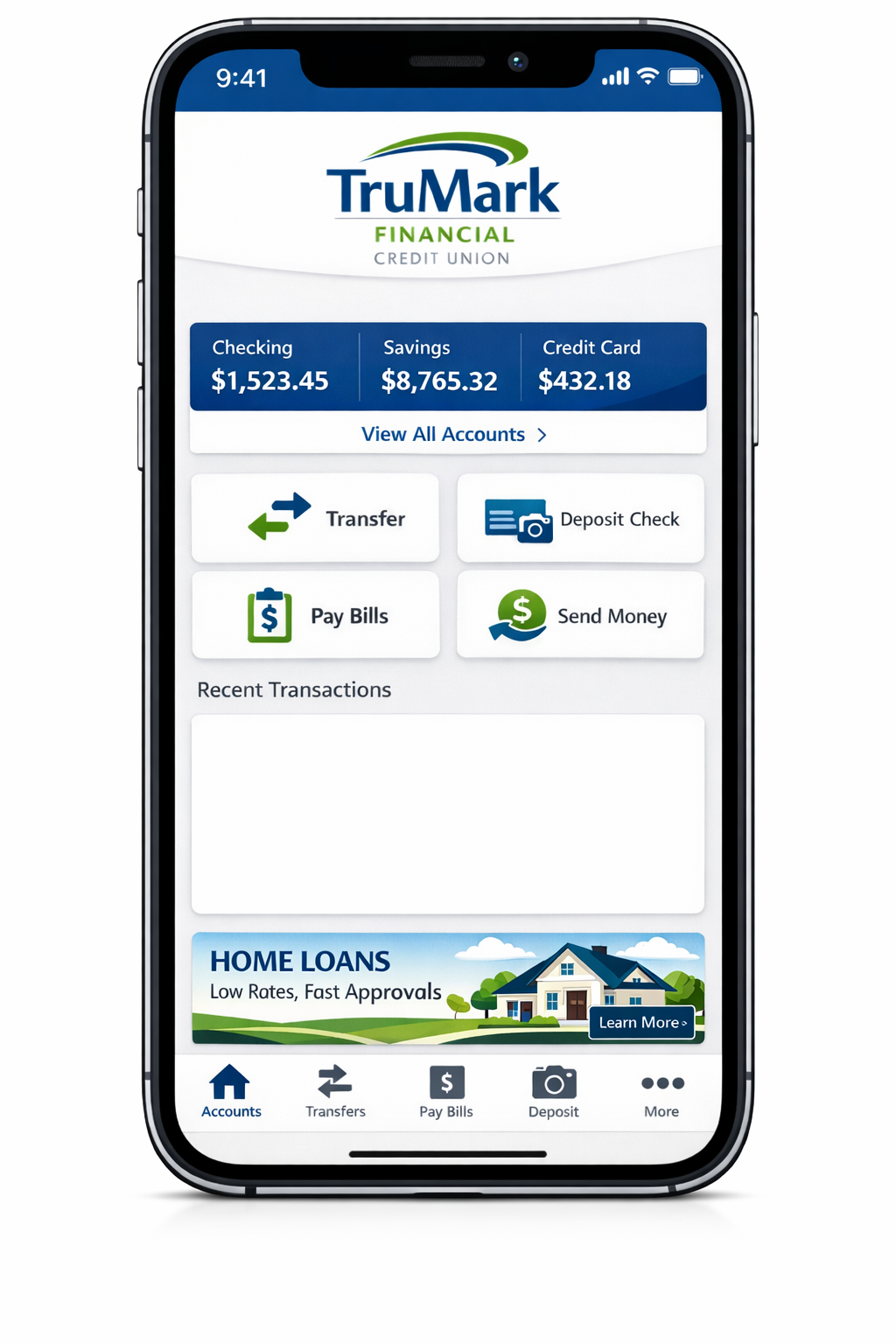
The TruMark Financial Credit Union app is a secure mobile banking application that allows members to check balances, transfer funds, deposit checks, pay bills, and manage debit cards. It supports biometric login, real-time alerts, and encrypted transactions on both iOS and Android devices.
The TruMark Financial Credit Union app is the official mobile banking platform designed for credit union members to manage financial accounts remotely. It serves as an extension of online banking, offering secure, real-time access to checking, savings, loans, and credit card accounts.
Unlike traditional banks, credit unions operate as member-owned financial cooperatives. Therefore, access to the app requires active membership.
Who Can Use the App?
- Active members of TruMark Financial Credit Union
- Individuals enrolled in online banking
- Users with valid login credentials
Non-members must first open an account before accessing mobile banking features.
Platform Availability
The app is available on:
- Apple iOS devices (via App Store)
- Android devices (via Google Play)
It is regularly updated to meet platform security requirements and operating system standards.
Key Features of the TruMark Financial Credit Union App
The app is structured around core mobile banking functionalities aligned with industry standards.
1. Account Management
Members can:
- View real-time balances
- Access transaction history
- Monitor pending transactions
- Download eStatements
- Review loan and credit card details
This eliminates the need for branch visits for routine account inquiries.
2. Mobile Check Deposit
Mobile deposit enables users to deposit checks remotely using their smartphone camera.
How It Works
- Endorse the check properly.
- Capture front and back images.
- Enter the deposit amount.
- Submit via secure transmission.
Funds availability depends on deposit size and verification procedures (based on standard credit union hold policies).
Typical Processing Standards (Industry Reference)
- Small deposits: Often available within 1 business day
- Larger deposits: May require extended verification
(According to credit union mobile banking standards)
3. Fund Transfers
The app supports:
- Internal transfers (between TruMark accounts)
- Loan payments
- External bank transfers (if linked)
- Scheduled recurring transfers
Transfer limits vary based on account type and security settings.
4. Bill Pay Functionality
Members can:
- Add payees
- Schedule one-time payments
- Set recurring payments
- Track payment history
Bill Pay reduces reliance on paper checks and manual mailing.
5. Card Controls & Fraud Monitoring
The app includes debit card management tools:
- Freeze/unfreeze card
- Set spending alerts
- Report lost or stolen cards
- Monitor transactions instantly
These controls reduce fraud risk and provide immediate user oversight.
6. Alerts & Notifications
Users can enable:
- Low balance alerts
- Large transaction alerts
- Payment reminders
- Security login notifications
Real-time alerts align with financial cybersecurity best practices.
7. ATM & Branch Locator
The app integrates branch and ATM locator tools to help members find:
- Fee-free ATM networks
- Nearby branch locations
- Operating hours
- Contact details
App Download & Platform Information
| Platform | Availability | Authentication Support | Update Requirement |
|---|---|---|---|
| iOS | Apple App Store | Face ID / Passcode | iOS version compliance |
| Android | Google Play | Fingerprint / PIN | Android OS compliance |
Always verify the developer listing to ensure the app is officially published by TruMark Financial Credit Union to avoid fraudulent applications.
Also Read: Stellantis Financial Services App – Fast, Safe, and Convenient Payments
How to Register and Log In
First-Time Enrollment Steps
- Download the official app.
- Select “Enroll” or “Register.”
- Enter account number and identifying information.
- Create username and password.
- Set up security questions.
- Verify via email or SMS authentication.
Enrollment requires active membership credentials.
Standard Login Process
- Enter username
- Enter password
- Complete multi-factor authentication (if prompted)
Biometric Login Setup
After initial login, users can enable:
- Face ID (iOS)
- Fingerprint authentication (Android)
Biometric login uses encrypted device-level authentication and does not store fingerprint data within the banking system.
Resetting Username or Password
If credentials are forgotten:
- Tap “Forgot Username/Password.”
- Verify identity using account details.
- Complete security verification.
- Reset credentials securely.
Multiple failed login attempts may temporarily lock the account.
Security Features & Data Protection
Mobile banking security follows layered protection models used across regulated financial institutions.
Regulatory Oversight
TruMark Financial Credit Union is regulated by the:
- National Credit Union Administration (NCUA)
Member deposits are federally insured up to applicable limits under NCUA guidelines.
Unlike banks regulated by the:
- Federal Deposit Insurance Corporation (FDIC)
Credit unions operate under NCUA insurance protections.
Core Security Layers
| Security Layer | Function | User Visibility |
|---|---|---|
| SSL Encryption | Protects data in transit | Automatic |
| Multi-Factor Authentication | Confirms identity | Visible during login |
| Session Timeout | Prevents unauthorized access | Automatic |
| Device Authentication | Links login to device | Optional approval |
| Fraud Monitoring Systems | Detects unusual activity | Alert notifications |
Encryption Standards
Mobile banking applications typically use:
- 256-bit SSL encryption
- Secure socket layer (SSL) protocols
- Token-based authentication
These standards align with financial industry cybersecurity requirements.
(According to digital banking security frameworks)
Multi-Factor Authentication (MFA)
MFA requires:
- Something you know (password)
- Something you have (mobile device)
- Sometimes something you are (biometric)
This layered approach reduces unauthorized access risk.
Mobile Deposit Guide (Step-by-Step)
Proper Check Endorsement
Endorse with:
- Signature
- “For Mobile Deposit Only”
- Account number (if required)
Improper endorsement may result in rejection.
Step-by-Step Deposit Process
- Open app
- Select “Deposit”
- Choose account
- Enter amount
- Capture front image
- Capture back image
- Confirm submission
Common Rejection Reasons
- Blurry images
- Incorrect endorsement
- Duplicate deposit attempt
- Amount mismatch
- Damaged check
Deposit Timing Overview
| Deposit Type | Typical Processing Time | Notes |
|---|---|---|
| Small Checks | 1 business day | Subject to verification |
| Larger Checks | 2–5 business days | May require review |
| Weekend Deposit | Next business day | Non-processing days excluded |
Funds availability policies follow credit union guidelines and risk assessment protocols.
Quick Takeaway
What the TruMark Financial Credit Union App Offers:
- Secure mobile banking access
- Real-time balance monitoring
- Mobile check deposit
- Internal & external transfers
- Bill pay scheduling
- Card control management
- NCUA-backed deposit protection
Pros and Cons
Pros
- Federally insured deposits (NCUA)
- Biometric login support
- Real-time alerts
- Remote check deposits
- Card freeze functionality
Cons
- Requires membership
- Deposit limits apply
- Possible maintenance downtime
- Dependent on internet connectivity
Is the TruMark Financial Credit Union App Safe?
Yes, the app follows:
- Federal regulatory oversight (NCUA)
- Encrypted communications
- Multi-factor authentication
- Fraud detection systems
Mobile banking security risks typically arise from:
- Public Wi-Fi usage
- Weak passwords
- Outdated operating systems
Following security best practices reduces exposure.
Why the TruMark Financial Credit Union App Stands Out in Mobile Banking
The TruMark Financial Credit Union app is designed to deliver secure, real-time banking access for members who prefer digital financial management. With the TruMark Financial Credit Union app, users can monitor account balances, review transaction history, transfer funds, and manage debit cards without visiting a branch. As a regulated platform operated by TruMark Financial Credit Union, the app follows federally supervised compliance standards and encrypted banking protocols.
Unlike generic mobile wallets, the TruMark Financial Credit Union app connects directly to member checking, savings, loan, and credit card accounts. This ensures real-time synchronization with the credit union’s core banking system. Members searching for “TruMark Financial Credit Union app login,” “TruMark Financial Credit Union mobile deposit,” or “TruMark Financial Credit Union app security” are typically seeking reliable, secure, and regulated access to their funds.
Summary
The TruMark Financial Credit Union app functions as a full-service mobile banking platform offering secure account management, deposits, transfers, and card controls. It operates under federal NCUA insurance, uses encrypted communication standards, and incorporates biometric authentication for enhanced security.
App Limits, Fees & Restrictions
Mobile banking platforms operate within defined transaction thresholds to manage fraud exposure and regulatory compliance. The TruMark Financial Credit Union app follows structured internal limits that may vary by account type, tenure, and verification level.
Note: Exact limits are determined by the credit union and may change. Members should verify within their account dashboard or official disclosures.
Transfer Limits Overview
| Feature | Typical Daily Limit* | Monthly Limit* | Notes |
|---|---|---|---|
| Internal Transfers | Often unrestricted | N/A | Between TruMark accounts |
| External Transfers | Security-based | Security-based | Requires linked account |
| Bill Pay | Based on account standing | Based on account standing | Payee verification may apply |
| Debit Card Controls | Card network dependent | N/A | Visa/Mastercard processing rules |
Mobile Deposit Limits
Deposit caps are risk-adjusted. Credit unions typically implement:
- Daily deposit maximum
- Rolling 30-day maximum
- Per-check maximum
These controls help mitigate duplicate check fraud and regulatory exposure (according to mobile banking risk management standards).
Fees & Service Charges
The mobile app itself is typically free to download and use. However, potential charges may include:
- NSF (Non-Sufficient Funds) fees
- Overdraft protection transfer fees
- Expedited bill pay processing fees (if applicable)
- Stop payment fees
Members should consult official fee schedules within their account disclosures.
Common Problems & Troubleshooting Guide
Digital banking interruptions may result from device issues, operating system updates, or scheduled maintenance.
1. App Not Working
Possible Causes:
- Outdated app version
- OS incompatibility
- Server maintenance
- Weak internet connection
Solution Checklist:
- Update the app
- Restart device
- Clear app cache (Android)
- Reinstall application
- Check official maintenance announcements
2. Login Errors
Common Reasons:
- Incorrect credentials
- Expired password
- Account lock after multiple attempts
Resolution:
- Use “Forgot Password”
- Verify identity through MFA
- Contact support if locked
3. Mobile Deposit Rejection
Frequent Causes:
- Improper endorsement
- Image glare or shadow
- Duplicate submission
- Amount discrepancy
Prevention Tip:
Use flat, well-lit surfaces and confirm endorsement instructions.
4. App Crashing or Freezing
Technical Causes:
- Low device storage
- Conflicting background apps
- OS update mismatch
Resolution:
- Free storage space
- Update operating system
- Reinstall application
Troubleshooting Quick Fix Table
| Problem | Most Likely Cause | Recommended Fix |
|---|---|---|
| Cannot log in | Password error | Reset credentials |
| Deposit rejected | Endorsement issue | Re-endorse & resubmit |
| App freezes | OS conflict | Update OS |
| Transfer failure | Security review | Wait or verify identity |
TruMark Financial Credit Union App vs Other Credit Union Apps
Mobile banking competitiveness is measured by feature breadth, digital security, and transfer integrations.
Comparative Institutions
- Navy Federal Credit Union
- PenFed Credit Union
- Citadel Credit Union
Feature Comparison Table
| Feature | TruMark | Navy Federal | PenFed | Citadel |
|---|---|---|---|---|
| Mobile Deposit | Yes | Yes | Yes | Yes |
| Biometric Login | Yes | Yes | Yes | Yes |
| Card Freeze | Yes | Yes | Yes | Yes |
| Bill Pay | Yes | Yes | Yes | Yes |
| ATM Locator | Yes | Yes | Yes | Yes |
| NCUA Insurance | Yes | Yes | Yes | Yes |
Most federally chartered credit unions operate under supervision of the National Credit Union Administration, ensuring deposit insurance protection up to statutory limits.
Is the TruMark Financial Credit Union App Safe?
Security evaluation must consider:
- Regulatory supervision
- Encryption protocols
- Fraud detection systems
- User authentication layers
TruMark operates under NCUA oversight. Unlike traditional banks regulated by the Federal Deposit Insurance Corporation, credit unions fall under NCUA insurance protection frameworks.
Safety Architecture Summary
- 256-bit encryption
- Multi-factor authentication
- Biometric login option
- Device registration controls
- Transaction monitoring systems
According to financial cybersecurity standards, layered authentication significantly reduces digital fraud exposure.
Key Points
- The TruMark Financial Credit Union app supports full mobile banking functionality.
- It includes secure login with MFA and biometrics.
- Deposits are NCUA-insured.
- Mobile deposit requires proper endorsement.
- Transfer and deposit limits are risk-based.
- Security aligns with financial industry encryption standards.
Frequently Asked Questions
1. How do I download the TruMark Financial Credit Union app?
Search for the official TruMark Financial Credit Union app in the Apple App Store or Google Play Store. Confirm the developer listing before downloading.
2. Is the TruMark Financial Credit Union app legit?
Yes. It is the official mobile banking platform of TruMark Financial Credit Union, a federally regulated credit union insured by the NCUA.
3. What is the mobile deposit limit?
Deposit limits vary by member profile, account age, and risk controls. Members can view exact limits inside their app dashboard.
4. Why is the TruMark app not working?
Common causes include outdated versions, system maintenance, login errors, or connectivity issues. Updating the app resolves most problems.
5. How long does mobile deposit take?
Small deposits often process within one business day. Larger deposits may require additional verification (based on credit union hold policies).
6. Can I transfer money to another bank?
Yes. External transfers are supported once an external account is securely linked and verified.
7. Is my money insured in the app?
Yes. Member deposits are federally insured through the National Credit Union Administration, not the FDIC.
Conclusion
The TruMark Financial Credit Union app provides structured, secure, and regulation-compliant mobile banking functionality. Members can manage accounts, deposit checks, transfer funds, and monitor transactions through encrypted systems governed by federal oversight.
Its security architecture follows multi-layered authentication models, while deposit insurance protection under NCUA safeguards member funds.
For members seeking remote banking access with regulatory protection and biometric authentication, the app meets standard digital banking expectations.
References
🔗 TruMark Financial Credit Union Mobile Banking Overview
https://www.trumarkonline.org/mobile-banking/
🔗 Official TruMark Financial Credit Union Homepage (general services including mobile app)
https://www.trumarkonline.org/
🔗 Mobile Deposit Program Details
https://www.trumarkonline.org/mobile-deposit/
🔗 Bill Pay Service (works through mobile and online banking)
https://www.trumarkonline.org/bill-pay/
Disclaimer:
The content provided is for informational purposes only and does not constitute financial, investment, legal, or tax advice. While efforts are made to ensure accuracy, no guarantees are given regarding completeness or reliability. Any action you take upon the information is strictly at your own risk. We recommend consulting a licensed financial advisor or professional before making financial decisions.