The Trustone Financial App is a secure mobile and web banking platform that lets members manage checking and savings accounts, track loans, make transfers, and pay bills. With real-time balance updates, mobile deposits, automated alerts, and secure authentication, it simplifies banking and helps members maintain complete control over their finances.
Trustone Financial App
The Trustone Financial App is a full-featured mobile banking solution designed for credit union members seeking convenient, real-time access to their accounts. Unlike traditional banking, which often requires branch visits or multiple platforms for loans, deposits, and payments, this app consolidates all services into one secure interface.
Members can monitor balances, review transactions, manage loans, and schedule payments efficiently. The app also provides alerts, automated notifications, and mobile check deposit options, helping users stay on top of their finances while saving time.
Overview of the App
The Trustone Financial App is available for iOS, Android, and web platforms. Key features include:
- Dashboard: Centralized overview of checking, savings, and loan accounts
- Account Management: Edit, view, and transfer funds between accounts
- Mobile Check Deposit: Deposit checks instantly using a phone camera
- Loan & Credit Tracking: Monitor balances, repayment schedules, and credit activity
- Bill Payments & Alerts: Schedule one-time or recurring payments with reminders
- Security Features: Two-factor authentication (2FA), biometric login, and encrypted data storage
These features make the app a comprehensive financial management tool for members.
Purpose and Benefits for Members
The Trustone Financial App addresses key member needs:
- Convenience: Access accounts anytime without visiting a branch
- Efficiency: Reduce time spent on routine banking tasks
- Error Prevention: Automated alerts prevent missed payments or overdrafts
- Transparency: Real-time balance and transaction updates
- Financial Planning: Consolidated data helps members budget and track spending
By centralizing services, members gain better control and visibility over their finances.
Supported Banking Services
The Trustone Financial App supports:
| Service Type | Description | App Benefit |
|---|---|---|
| Checking Accounts | Daily deposits, withdrawals, and transactions | Real-time balance tracking |
| Savings Accounts | Automated saving & interest monitoring | Track goals & growth |
| Loans & Credit | Personal, auto, and student loans | Repayment tracking & alerts |
| Bill Payments | Utilities, tuition, and recurring bills | Automated payments & reminders |
| Transfers | Between accounts & external banks | Instant or scheduled transfers |
| Mobile Check Deposit | Deposit checks remotely | Convenience & speed |
Also Read : First Financial Credit Union App: Simplify Banking, Loans & Payments Securely
Table 1: Trustone Financial App vs Traditional Banking
| Feature | Traditional Banking | Trustone Financial App |
|---|---|---|
| Access | Branch visits & phone | Mobile & web dashboard |
| Alerts | Manual tracking | Automated notifications for payments & balances |
| Check Deposits | In-branch only | Mobile deposit via phone camera |
| Loan Monitoring | Paper statements | Integrated loan tracking & alerts |
| Bill Payments | Separate websites or branch | Centralized payment platform |
| Security | Branch oversight | 2FA, encryption, biometric login |
The app improves efficiency, convenience, and security compared to conventional banking methods.
Summary: Why Use the Trustone Financial App
- Consolidates checking, savings, and loans in one dashboard
- Real-time account updates and transaction monitoring
- Mobile check deposits and automated bill payments
- Alerts for upcoming payments and due dates
- Secure login with 2FA and biometrics
Key Takeaways
- The Trustone Financial App provides a complete suite of mobile banking tools.
- Members can monitor balances, track transactions, and manage loans anytime.
- Consolidation of accounts reduces administrative tasks and increases financial control.
- Advanced security features protect member information while providing convenience.
Trustone Financial App: Login, Navigation, and Member Benefits
How to Download, Log In, and Access the App
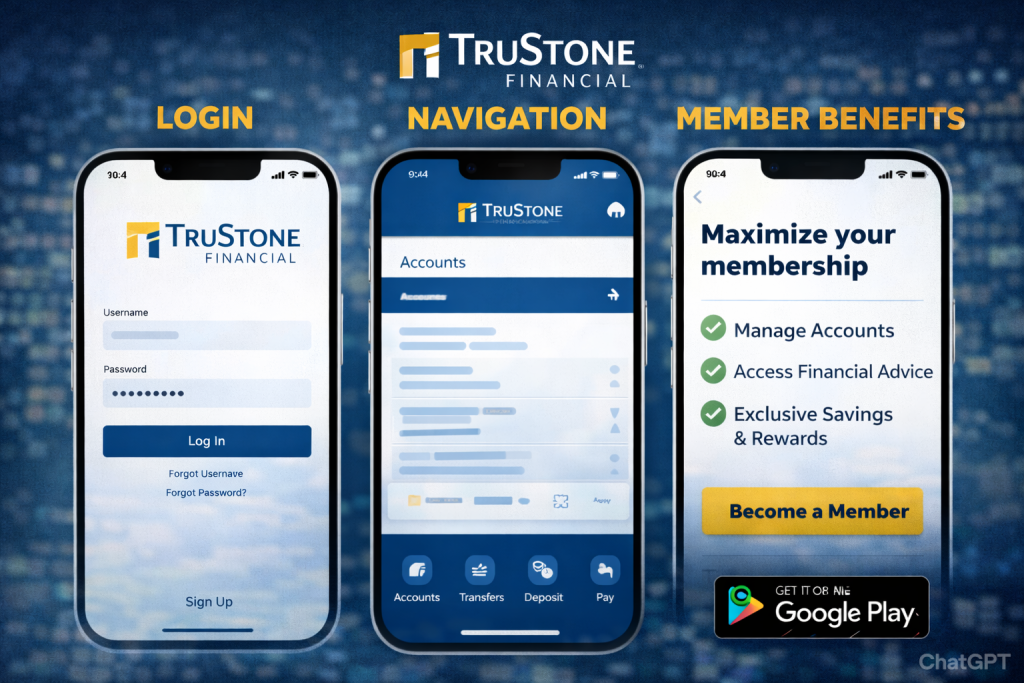
The Trustone Financial App is available on iOS, Android, and web platforms. Secure login ensures members can safely manage checking, savings, loans, and bill payments from any device.
Download and Installation
- iOS Users: Download from the App Store.
- Android Users: Download from Google Play.
- Web Access: Visit the official website: https://www.trustone.org
Ensure your device meets the system requirements and has a stable internet connection for smooth installation.
Account Registration and Login
To start using the Trustone Financial App:
- Create an Account:
- Enter member ID, personal information, and email.
- Verify your email to activate your account.
- Link Accounts:
- Connect checking, savings, and loan accounts for centralized management.
- Set Security Measures:
- Two-factor authentication (2FA)
- Biometric login (fingerprint or face recognition)
- Strong password creation
Completing registration ensures secure access and protects sensitive financial data.
Dashboard Overview
Once logged in, the dashboard provides:
- Account Summary: View balances for checking, savings, and loans
- Transaction History: Track deposits, withdrawals, and transfers
- Payments & Transfers: Initiate instant or scheduled transactions
- Alerts & Notifications: Bill reminders, low balance warnings, and fraud alerts
The dashboard is intuitive, giving members real-time financial visibility.
Managing Payments, Deposits, and Loans
The app simplifies key banking tasks:
- Mobile Check Deposit: Deposit checks remotely via smartphone
- Transfers: Move funds between accounts or to other banks
- Loan Tracking: Monitor balances, repayment schedules, and interest
- Bill Payments: Set up recurring or one-time payments with alerts
These features reduce branch visits and streamline everyday banking.
Table 2: Step-by-Step Login & Navigation Guide
| Step | Action | Benefit |
|---|---|---|
| 1 | Download & install app | Access accounts anywhere |
| 2 | Register & verify account | Secure authentication |
| 3 | Link accounts | Centralized account management |
| 4 | Set security (2FA/biometrics) | Protect sensitive data |
| 5 | Explore dashboard | Monitor balances, transactions, and alerts |
| 6 | Manage deposits, payments, and loans | Save time and reduce errors |
Key Features and Member Benefits
Account Management & Real-Time Balances
- View real-time balances for checking and savings accounts
- Track incoming and outgoing transactions instantly
- Consolidate multiple accounts for simplified financial management
Mobile Check Deposit & Transfers
- Deposit checks remotely using the camera
- Transfer funds internally or externally, instantly or scheduled
- Monitor transfer history for accurate tracking
These features provide convenience and reduce the need for branch visits.
Loan and Credit Tracking
- Track personal, auto, and student loan balances
- Receive alerts for due dates and repayment updates
- Monitor interest accruals and repayment progress
This allows members to maintain financial health and plan ahead.
Bill Payments and Alerts
- Schedule recurring and one-time payments through the app
- Receive reminders for upcoming bills
- Automate payments to avoid late fees
Security and Fraud Protection
The Trustone Financial App uses advanced security measures:
- Two-factor authentication (2FA)
- Encrypted mobile and web connections
- Biometric login
- Real-time fraud detection alerts
Table 3: Trustone Financial App Features & Benefits
| Feature | Description | Member Benefit |
|---|---|---|
| Account Management | Checking & savings overview | Centralized monitoring |
| Mobile Check Deposit | Deposit checks remotely | Convenience & speed |
| Transfers | Internal & external transfers | Real-time fund management |
| Loan Tracking | Monitor balances & repayment | Better debt management |
| Bill Payments | Schedule & automate payments | Avoid late fees |
| Alerts & Notifications | Payment & balance reminders | Reduce errors and missed deadlines |
| Security | 2FA, encryption, biometrics | Protect sensitive information |
Tips for Efficient Use
- Enable Notifications: Stay updated on balances, payments, and transfers
- Upload Mobile Documents: Store statements and agreements securely
- Check Dashboard Regularly: Monitor balances, transactions, and alerts
- Sync Across Devices: Keep mobile and web accounts updated
- Use Alerts for Loan Management: Plan repayments and avoid penalties
FAQs About Trustone Financial App
1. How do I log in to the Trustone Financial App?
Download the app, create an account, link your accounts, and use secure credentials.
2. Is the app free for all members?
Yes, it is free for all Trustone Financial members.
3. Can I deposit checks using the app?
Yes, the mobile check deposit feature allows remote deposits.
4. How secure is my banking data?
The app uses 2FA, encryption, and biometric login for protection.
5. Does the app support bill payments and alerts?
Yes, members can schedule one-time or recurring payments and receive notifications.
6. Can I manage multiple accounts from one login?
Yes, multiple checking, savings, and loan accounts can be linked for centralized management.
Conclusion
The Trustone Financial App is a secure, convenient, and comprehensive platform for members to manage checking, savings, loans, transfers, and bill payments. With real-time updates, mobile deposits, automated alerts, and strong security, it simplifies banking, saves time, and empowers members to take full control of their finances.
References
- Trustone Financial – Official Website & App Overview
https://www.trustone.org - FDIC – Mobile Banking Guidelines & Security
https://www.fdic.gov - NACHA – ACH Transfers & Payment Standards
https://www.nacha.org - CUNA (Credit Union National Association) – Mobile Banking Reports
https://www.cuna.org - ABA (American Bankers Association) – Banking Technology Trends
https://www.aba.com
Disclaimer:
The content provided is for informational purposes only and does not constitute financial, investment, legal, or tax advice. While efforts are made to ensure accuracy, no guarantees are given regarding completeness or reliability. Any action you take upon the information is strictly at your own risk. We recommend consulting a licensed financial advisor or professional before making financial decisions